
Features
Everything UpSearch does
Autocomplete, results page, ranking control and insights. Each feature is shown on a screen from a Czech demo shop.
01 · For your customers
Customers find what they are looking for
Understands typos, language and longer queries, and suggests products while the customer is still typing.
What customers type and what they find
Four types of queries that ordinary search cannot handle. UpSearch understands what ordinary search misses.
| Customer typed | What is wrong | What UpSearch finds |
|---|---|---|
| bilding blocks for boy | typo | Wooden Building Blocks XL |
| kicks | word not in your catalogue | Women's Air Retro Sneakers |
| knit sweat | unfinished word | Oversize Knit Sweater |
| wireless headphone | singular instead of plural | Studio Wireless Headphones |
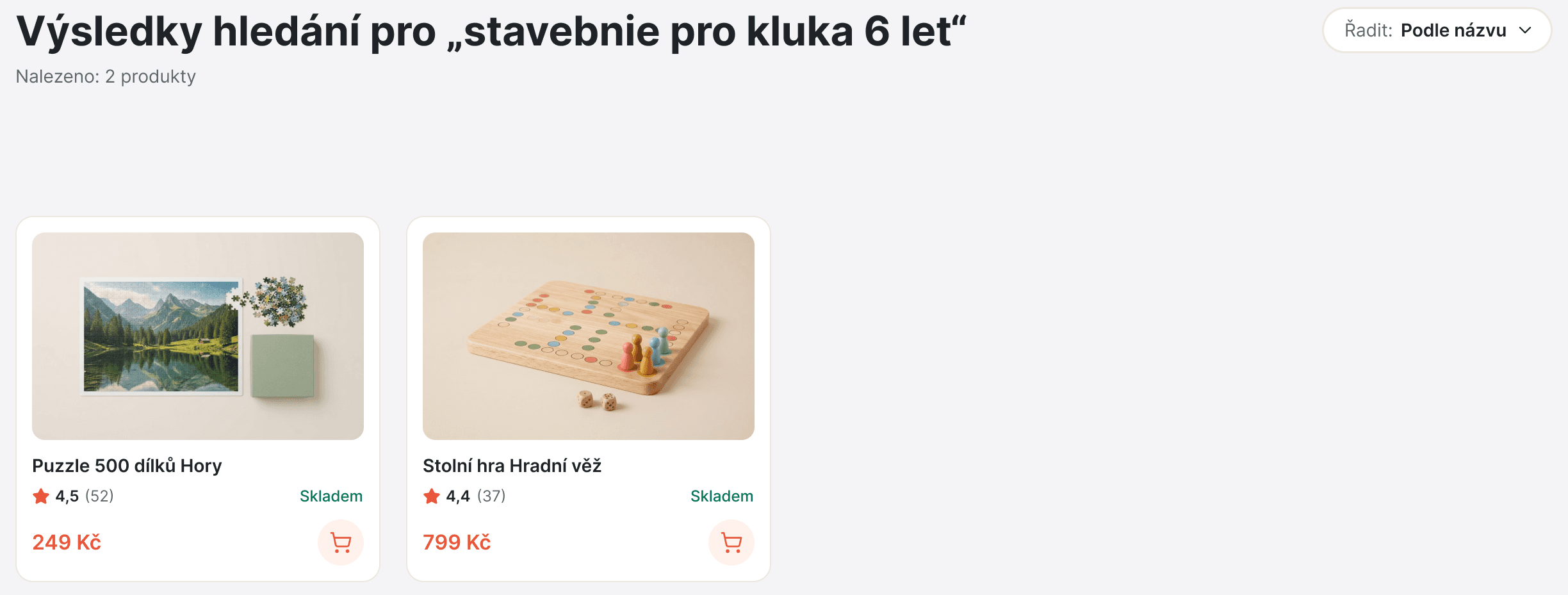
A customer misspells “building set for a 6-year-old boy” in Czech
stavebnie pro kluka 6 let
Your store's search today
2results
Not a single building set.
UpSearch
14results
5 of them building sets for that age group.
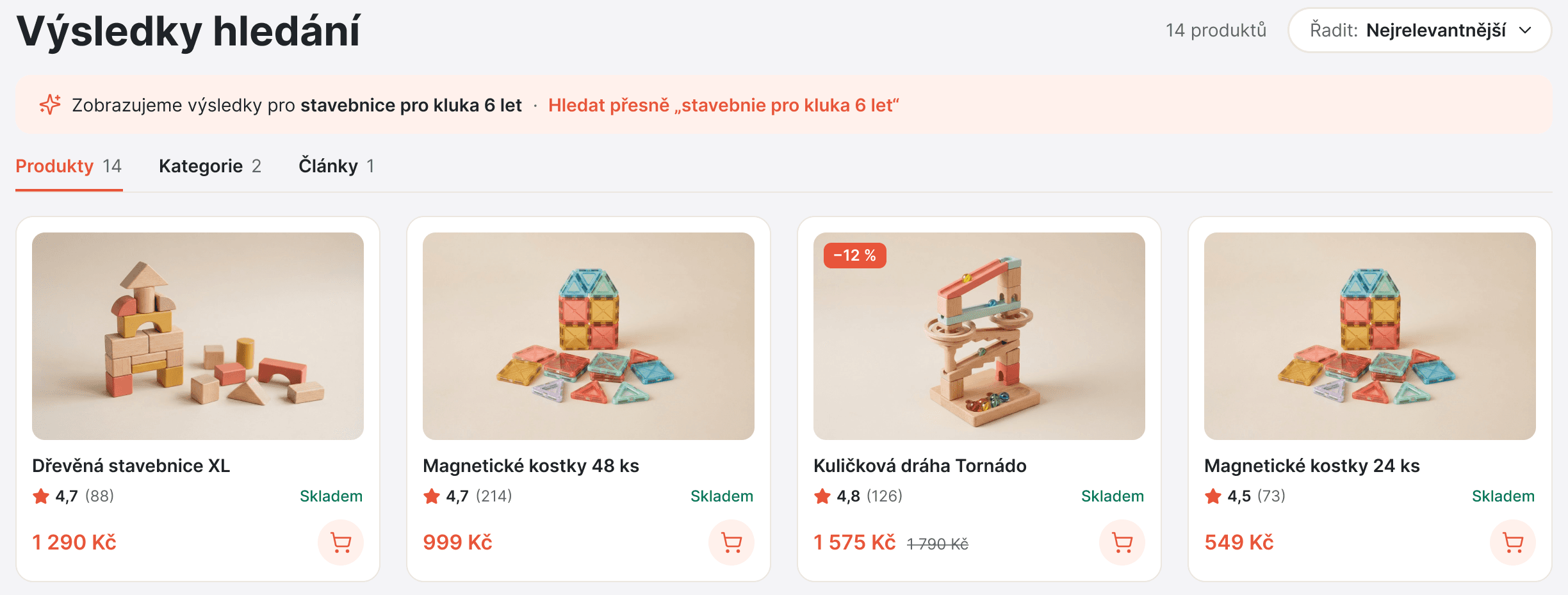
Screens and figures from a Czech demo shop, both results from the same catalogue.
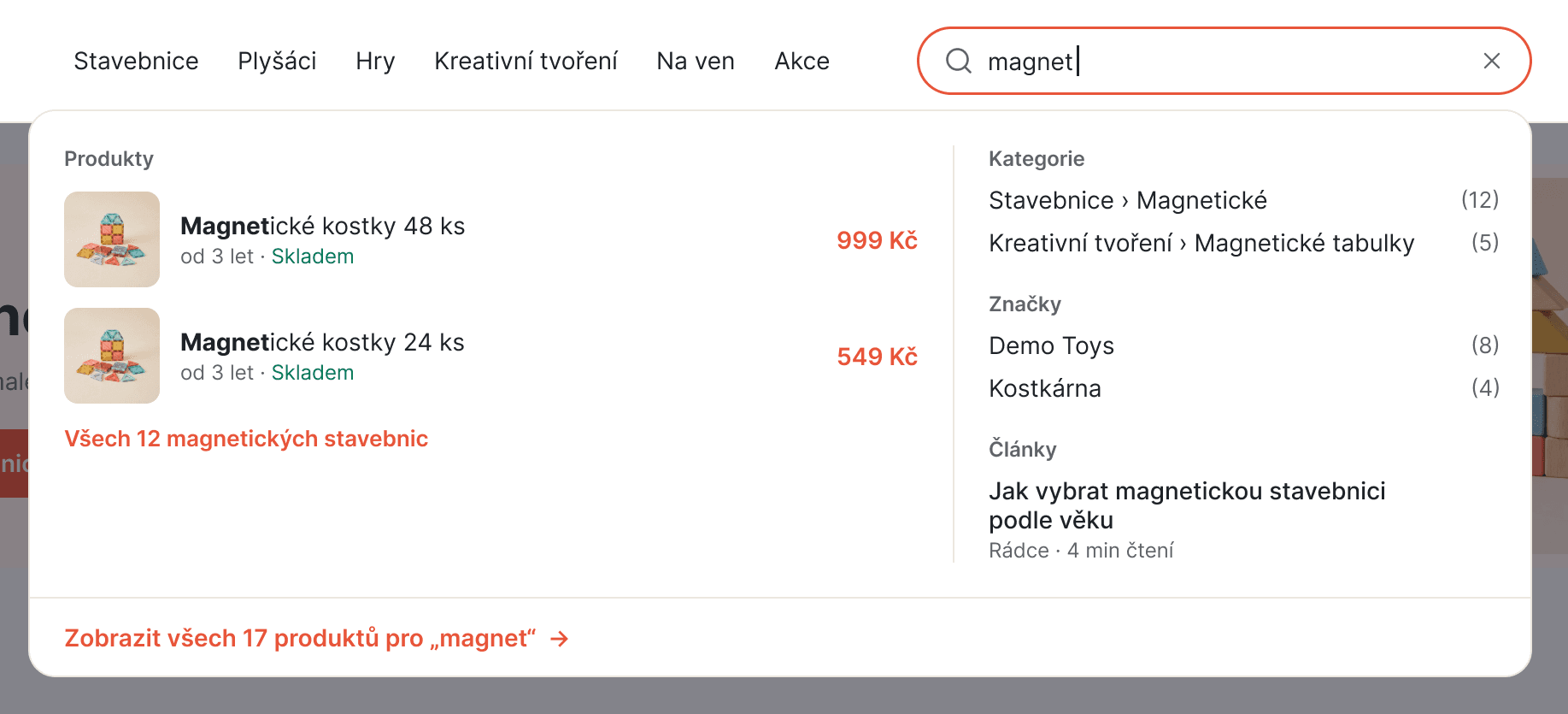
Autocomplete
A box that opens under the search field as soon as the customer types the first characters.
- Suggests specific products with a photo, name, price and availability.
- Products, categories, brands and articles are shown in separate blocks.
- Finds products despite typos, missing accents and other word forms.
- Three layouts to choose from: rows, tiles or a simple list.
- At the bottom is a link to the full results page with the number of products found.
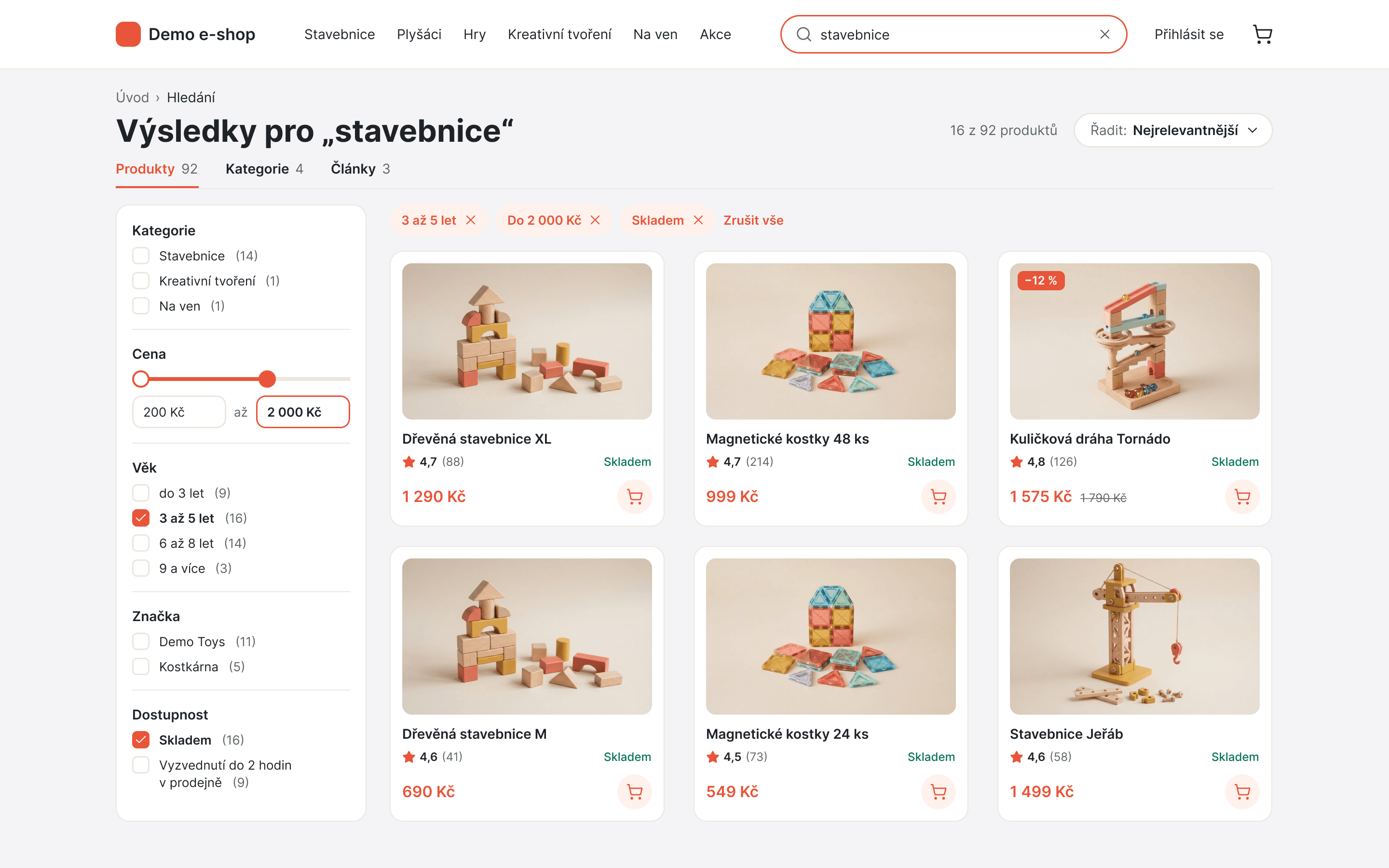
Results page with filters
When the customer confirms the search, a page with the full result opens. It runs on your website as an UpSearch component; the rest of your store stays as it is.
- Filters by category, price, colour, material, brand and labels.
- Each filter value shows a count that updates with every selection.
- Results are split into products, categories and articles.
- You choose which catalogue fields are searched and what is shown for each product.
Longer queries
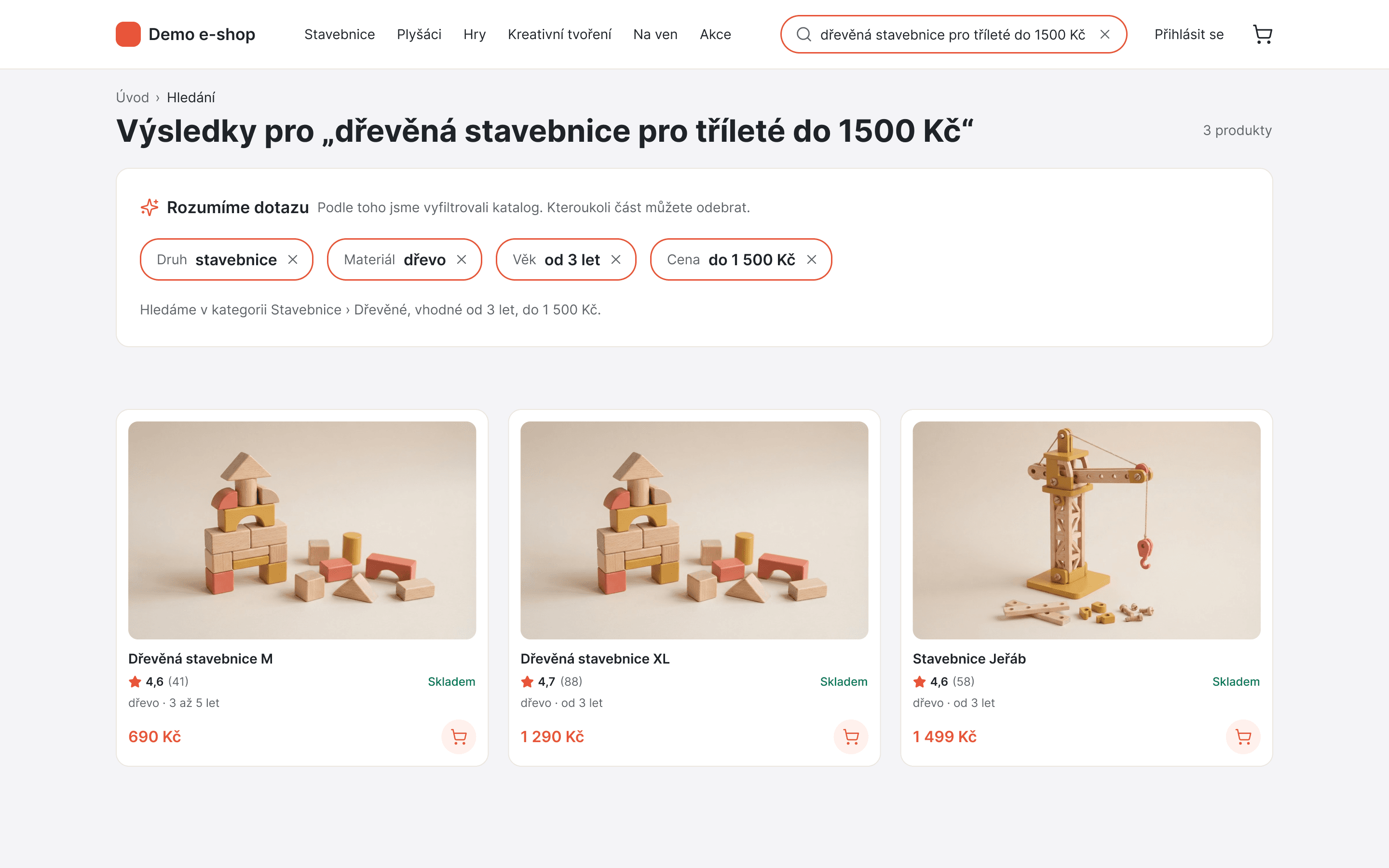
From a longer query UpSearch picks out individual attributes and filters the catalogue by them.
Most of these attributes are not in the product name but in its parameters.
| Query | Type | Material | Age | Price |
|---|---|---|---|---|
| dřevěná stavebnice pro tříleté do 1500 Kč (wooden building set for 3-year-olds under CZK 1,500) | building set | wood | 3 years + | up to CZK 1,500 |
Similar products instead of an empty page
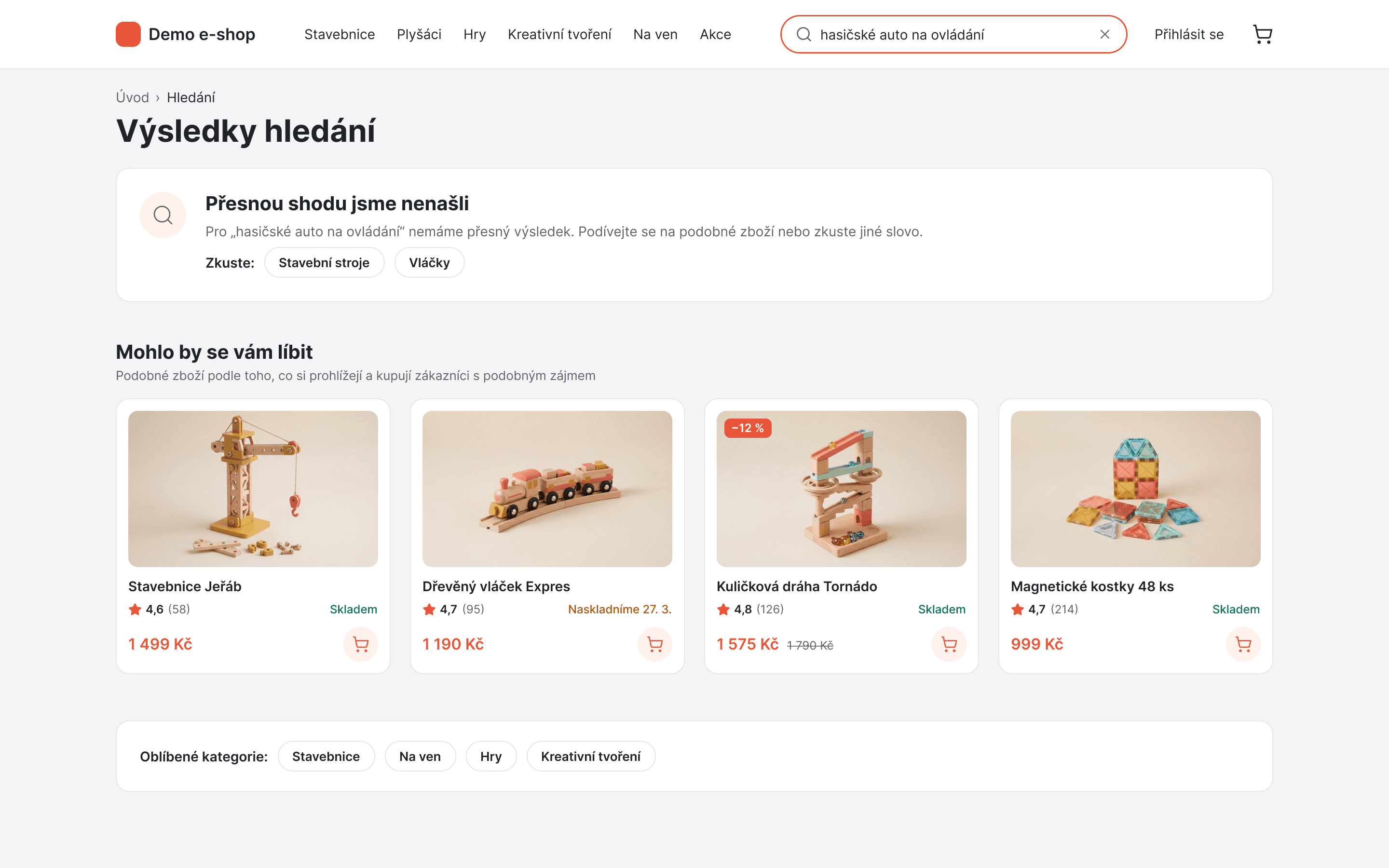
When nothing matches exactly, a block of similar products appears instead of an empty page.
This feature requires the BigDataManager module. Our sales team will tell you the terms.
02 · For you
You decide what sells
For every query you decide what shows up first. What people click on moves forward on its own.
What you set manually
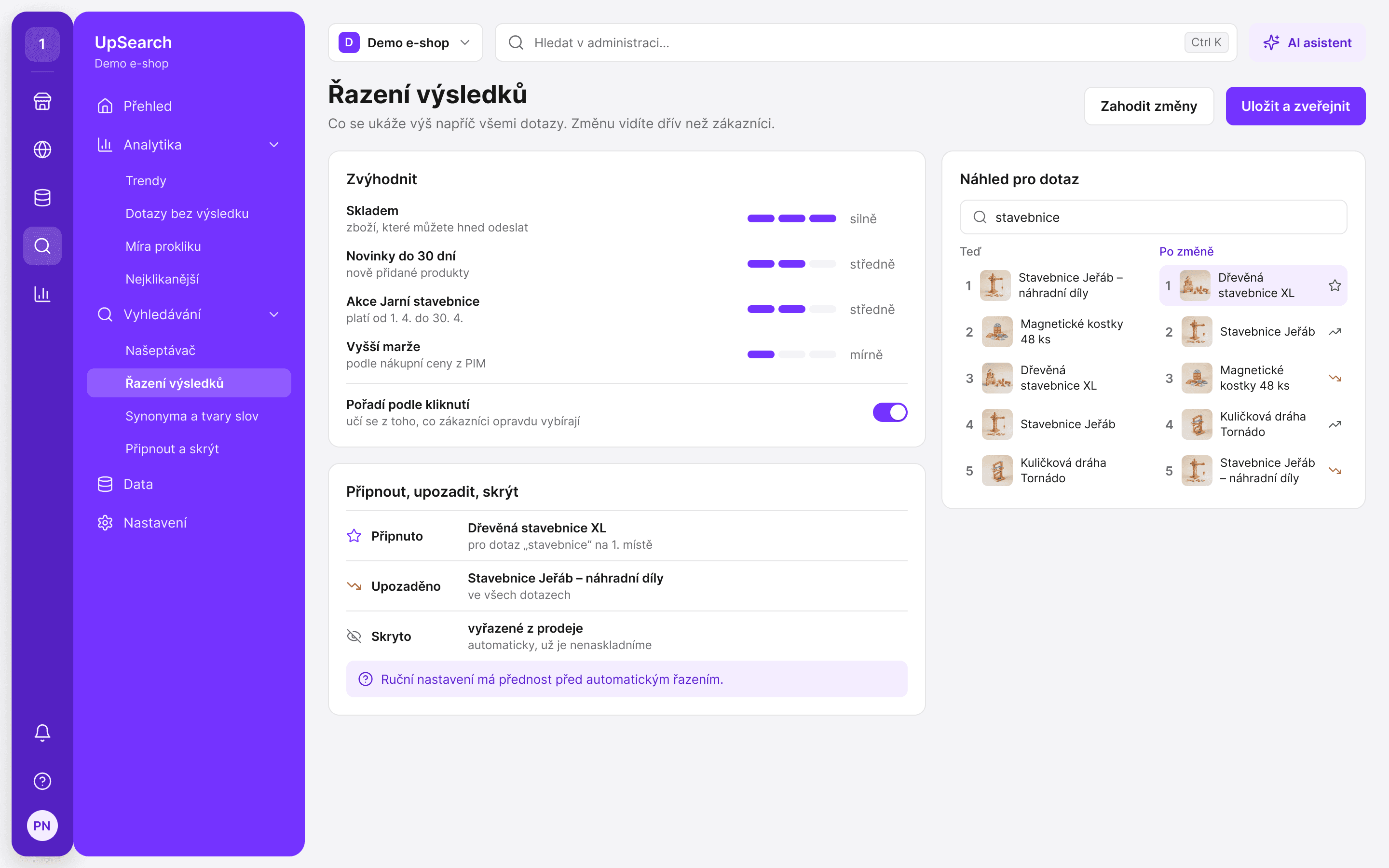
For every query you decide what shows up first and what should not appear at all.
- Pinning – selected products go to the top.
- Burying and hiding – products move down or do not show for that query.
- Boosting – products in stock, seasonal or new move forward across all queries.
- Field weights – decide whether a match in the name or the description counts more.
- Query rewriting – “sneakers” searches for “sports shoes” instead.
You can preview every change before customers see it.
Ranking by clicks
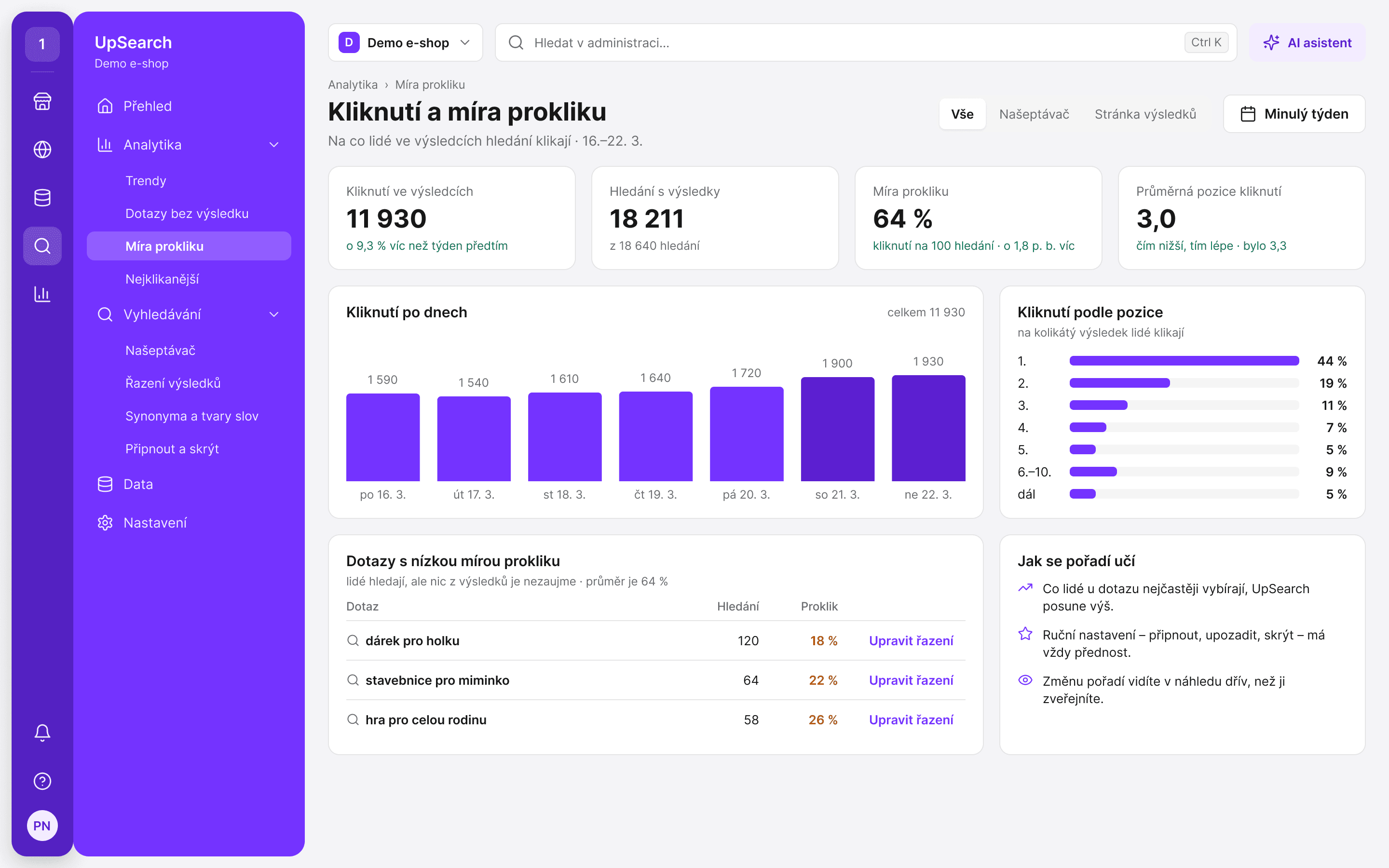
UpSearch measures which results people click on for a specific query and adjusts their order accordingly.
- What people choose most often for a query moves up.
- Queries with a low click-through rate show where results do not fit.
- Manual settings always take priority.
03 · Insights
Know what people want
The words customers use for your products, queries without results and search figures.
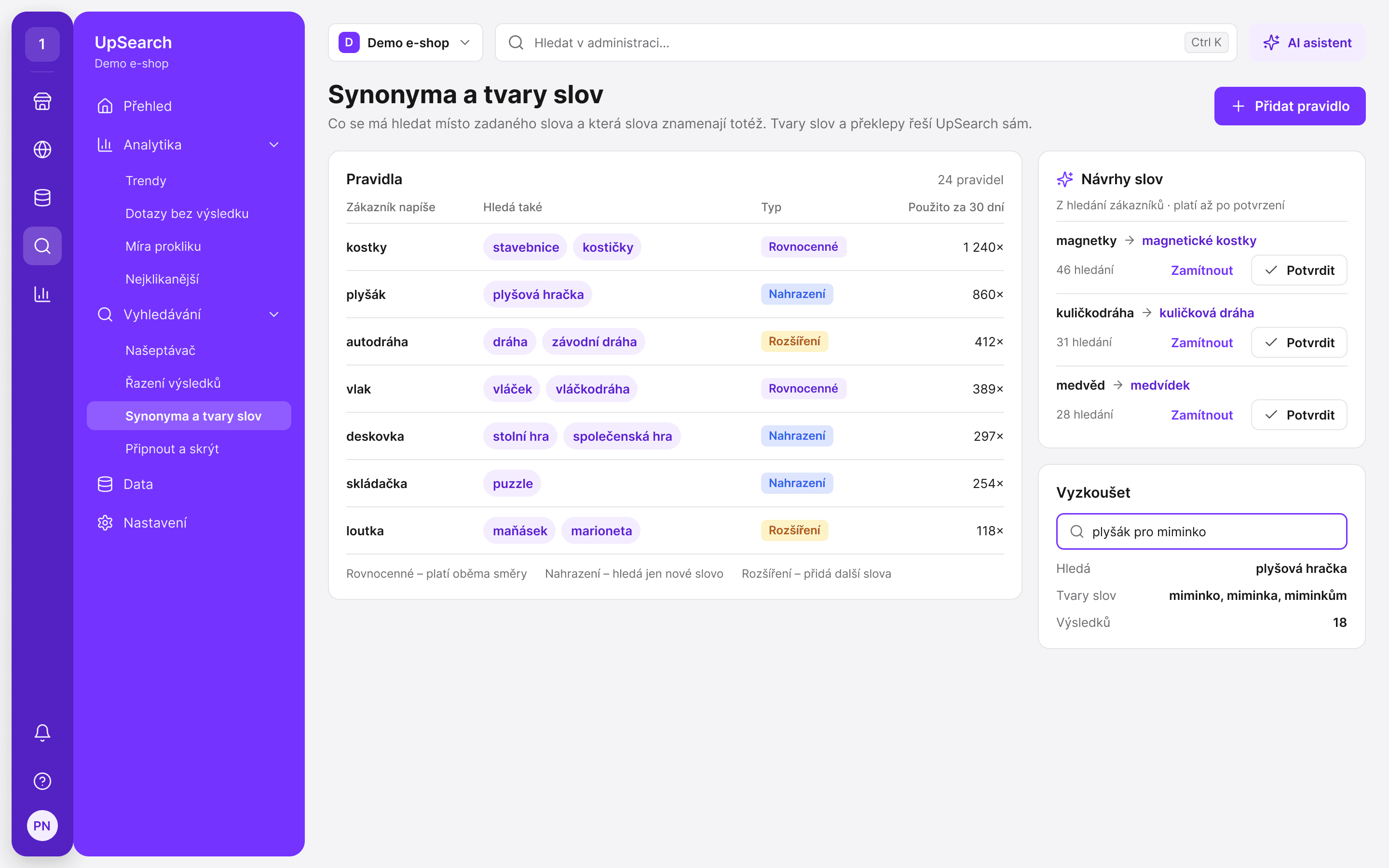
Word suggestions
UpSearch goes through queries without results and finds words customers use for products you list under a different name.
- Suggestions are created once a day from queries without results.
- They only apply to search once a person approves them.
Figures from a Czech demo shop.
| Customers type | Suggestion | Searches without results |
|---|---|---|
| magnetky (magnets) | magnetické kostky (magnetic blocks) | 46 |
| kuličkodráha (marble run, one word) | kuličková dráha (marble run) | 31 |
| medvěd (bear) | medvídek (teddy bear) | 28 |
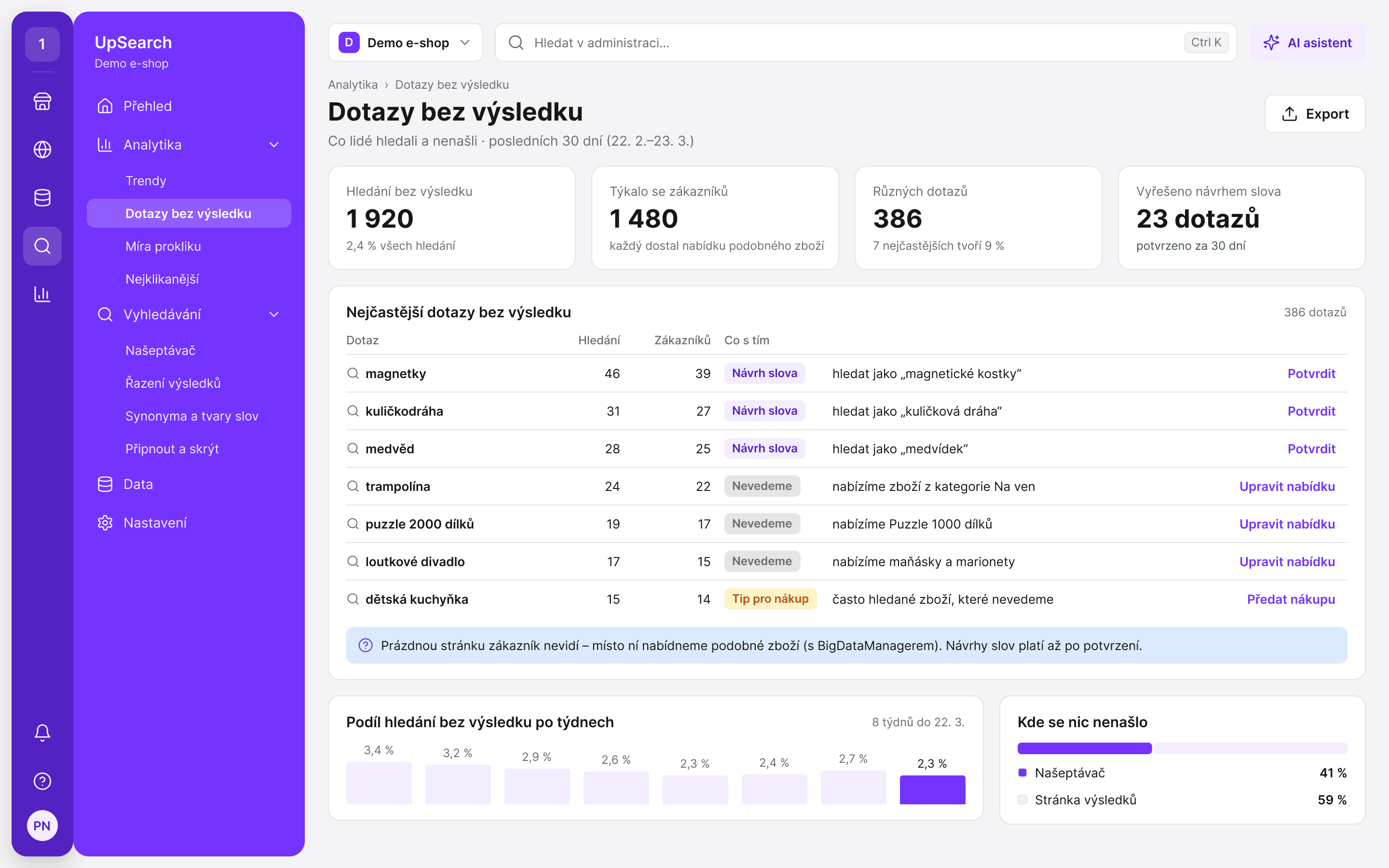
Queries that returned nothing
An overview of the most common queries for which customers found no results.
- Each query shows the number of searches and the number of customers affected.
- Not in your catalogue? That is a buying tip.
- Listed under a different name? Settings fix that.
- The list can be exported.
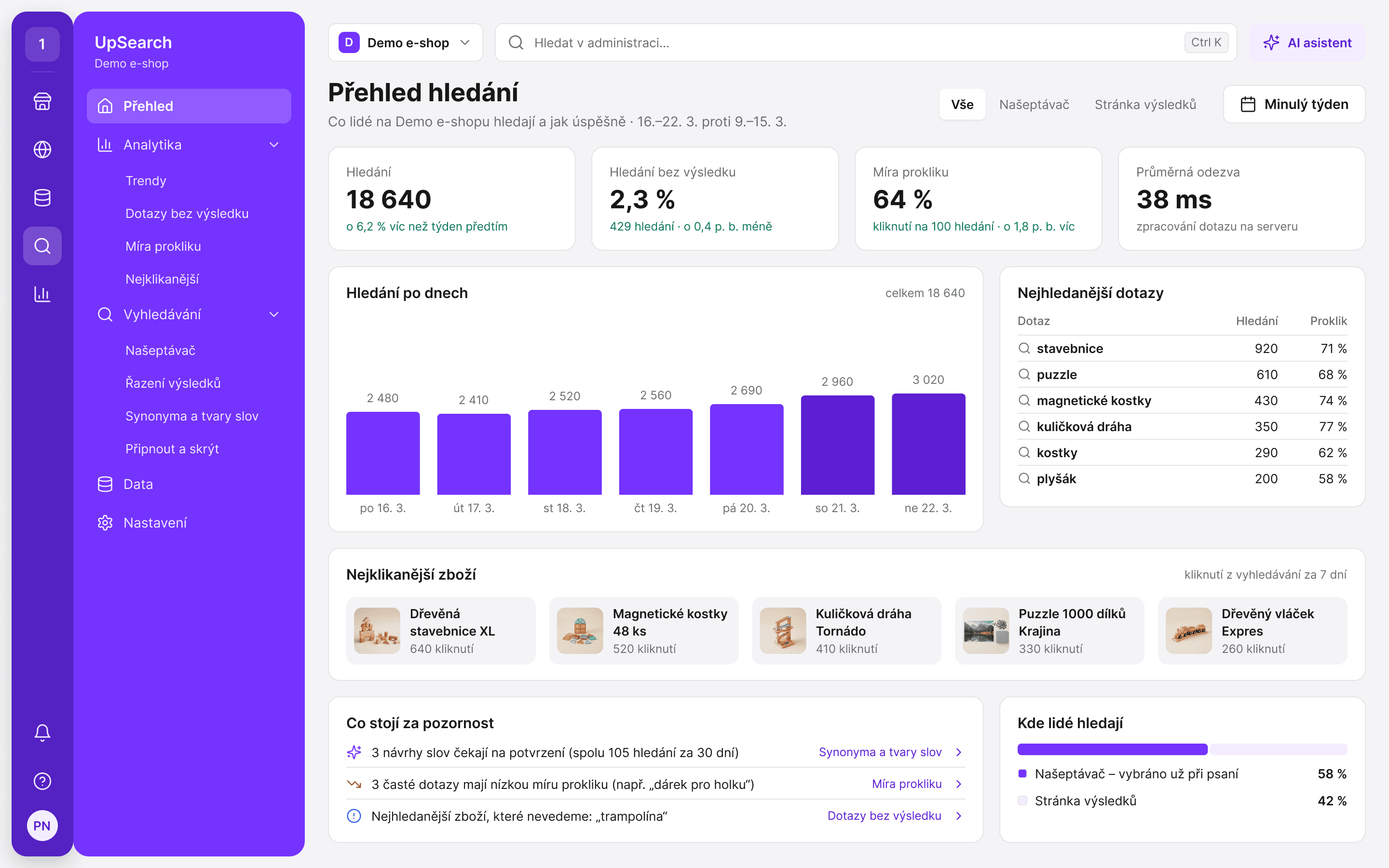
Search overview
One screen with search figures for the selected period.
- Number of searches, different queries, share without results and average response time.
- A chart of searches over time, a period switch and data export.
- Top queries and most clicked products.
- Products that show up often in results but nobody clicks on.
- Autocomplete and the results page can be tracked separately.
The 38 ms response time on the screen is from the demo shop.
Try UpSearch free for 14 days on your own catalogue
We will show you search on your own products. We do the setup.